Setting controller dynamics
To use the lowest possible I component in the axis controller, proceed as follows:
- Enter a low % value, e.g. 10%, for the zero clearance in MOVISUITE® in the menu "3.2.3 Set controller dynamics".
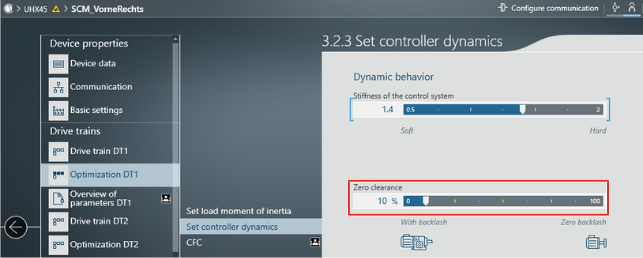

- A low zero clearance corresponds to a large TN component and a small I component. The I component should be specified by the track guidance sensor later on.
