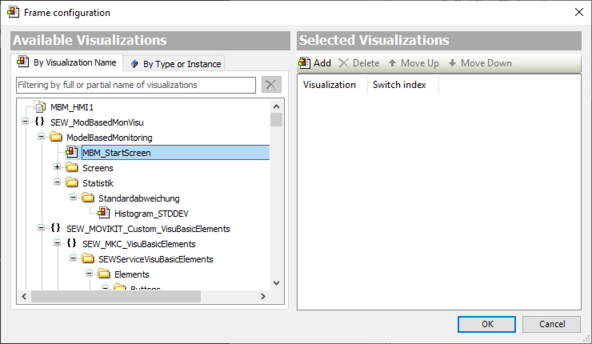
Adding visu frame
- Double-click the "Visualization" object in the device tree of the IEC Editor.
- In the "Visualization tools" menu, click the [Basic] category.
- Drag&drop the "Frame" element into the "Visualization" tab.
- In the "Available visualizations" section, open the "By type or instance" tab.
- Under "SEW_DriveRadar_ModelBasedMonitoringVisu" > "SEWModBasedMonVisu" > "ModelBasedMonitoring", highlight the "MBM_StartScreen" visualization.
- In the "Selected visualizations" section, click [Add].
- Click [OK] to close the dialog box.