Using a trace template
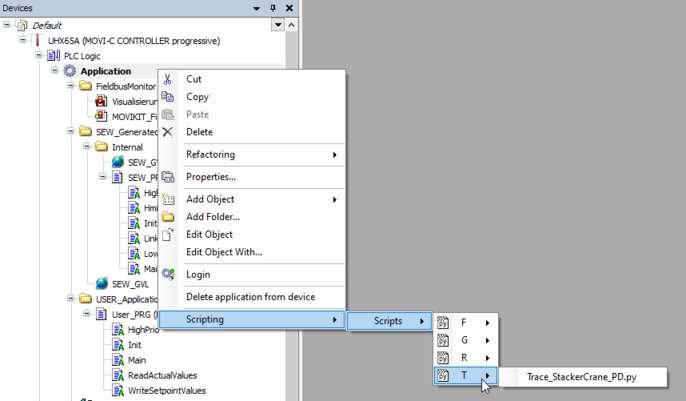
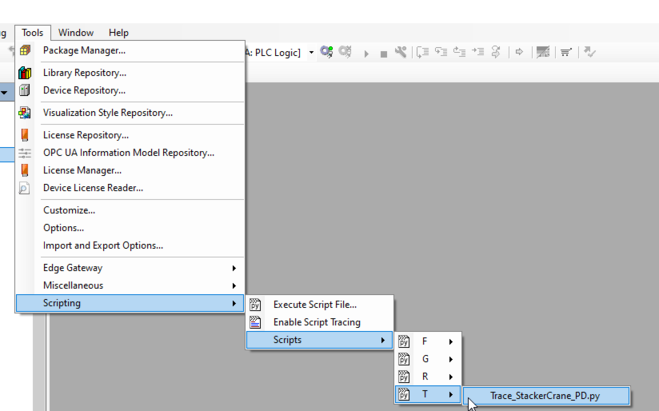
The trace variables can be entered automatically by means of a template in the IEC Editor via the menu command [Tools] > [Scripting] > [Scripts] > [T] > [Trace_StackerCrane_PD.py] or via the context menu of the "Application" object and the menu command [Scripting] > [Scripts] > [T] > [Trace_StackerCrane_PD.py]. The template contains all of the relevant variables for the analysis.
|
|
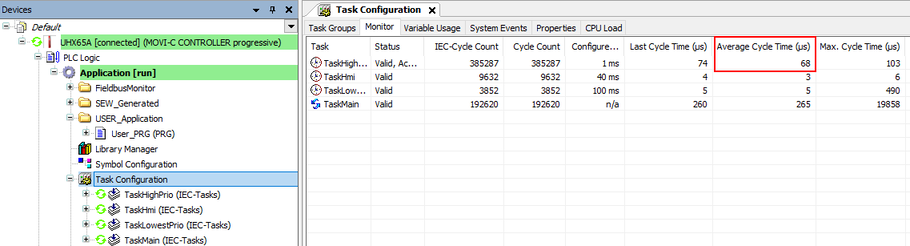
Delete all variables that are not relevant from the trace recording to avoid a task overflow of the HighPrio task. The task runtime can be viewed in the task configuration (double-click the "Task Configuration" element in the device tree) in the "Average Cycle Time" column.