Installation
- Double-click the installation file
setup.exe. If your PC is not connected to the Internet, double clickDataCollectorSetup.msi. - The installation wizard opens.
|
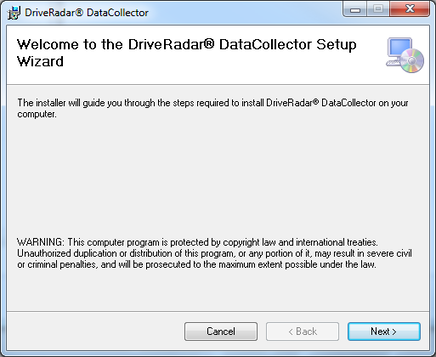
- Follow the installation wizard.
- After accepting the license agreement, selecting users and choosing the target directory, the software is installed on the PC.
- Start the software.
- The "License check" command prompt is displayed.
- Enter the license key you obtained when buying the license and click [OK] to confirm your entry.
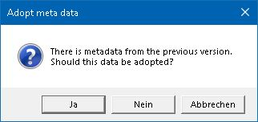
- If a version of the software was already installed on your PC, the "Adopt meta data" dialog box is displayed.
INFORMATION

If the installed version of the .NET framework is not supported, a corresponding message is displayed requesting a download of the current version. Alternatively, a supported version can also be installed manually.
INFORMATION
As well as the program folders, other configuration files are created in the directory C:\ProgramData\SEW\DataCollectorCore. To ensure proper functioning of the software, do not delete or move these files. Make sure the logged-in user has read and write permissions for this directory.
|
INFORMATION
The program-specific files and folders are stored in the C:\ProgramData\SEW\DataCollectorCore directory during installation. This includes the directories "ScopeTemplates", "Parameter-Templates", "Config" and the files "dc_Meta.json", "dc_ApplCustomer.txt" and "dc_ApplSEW.txt".
- If you want to use the meta data of the previous version, confirm the dialog box with [Yes]. If you want to use additional folders and/or files from the previous version, copy them manually from the directory
C:\ProgramData\SEW\DataCollectorinto the directoryC:\ProgramData\SEW\DataCollectorCore.
- The software is opened and is ready to use.
