Exiting visualization
If no button or similar has been created in the visualization project to terminate the visualization, Remote Desktop access or a connected input device will be required in order to terminate a visualization running in full screen. Therefore, it is recommended that you integrate a method for exiting the visualization when the visualization view is being created.
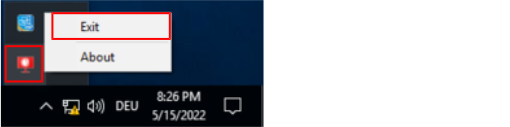
To exit a visualization, right-click the visualization icon in the Windows task bar to open the shortcut menu and click the [Exit] menu item. It can take 10 to 15 seconds for the visualization to terminate.

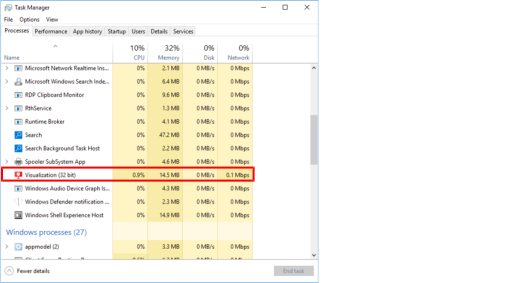
If no visualization icon is displayed in the Windows system tray, you can terminate the visualization via the process in the Windows Task Manager.