Use case: OPC UA server with certificates
The communication partners can use certificates to familiarize themselves, exchange their public keys and establish a secure connection. The certificates of the server can be scanned in the dialog box under the Devices tab in the View > Security Screen dialog box. In the right-hand dialog, you create a self-signed certificate of the server.
The controller must be switched off and on for the change to take effect.


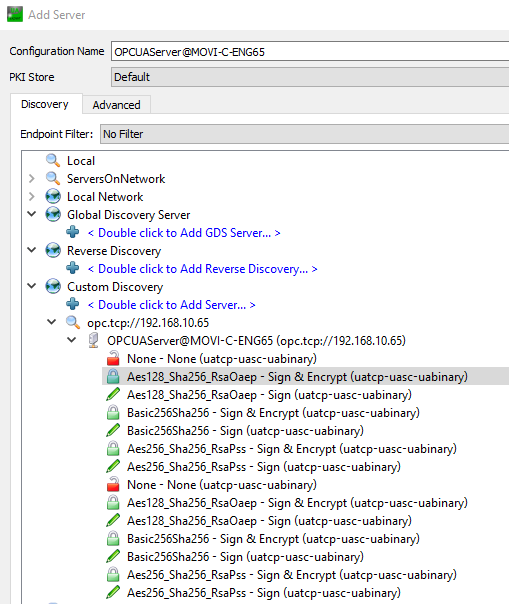
The security settings supported by the server are visible and selectable in the client.
In order for the self-signed certificate to be added to the list of "managed certificates", the operator must trust the certificate manually when establishing a connection with the server for the first time.
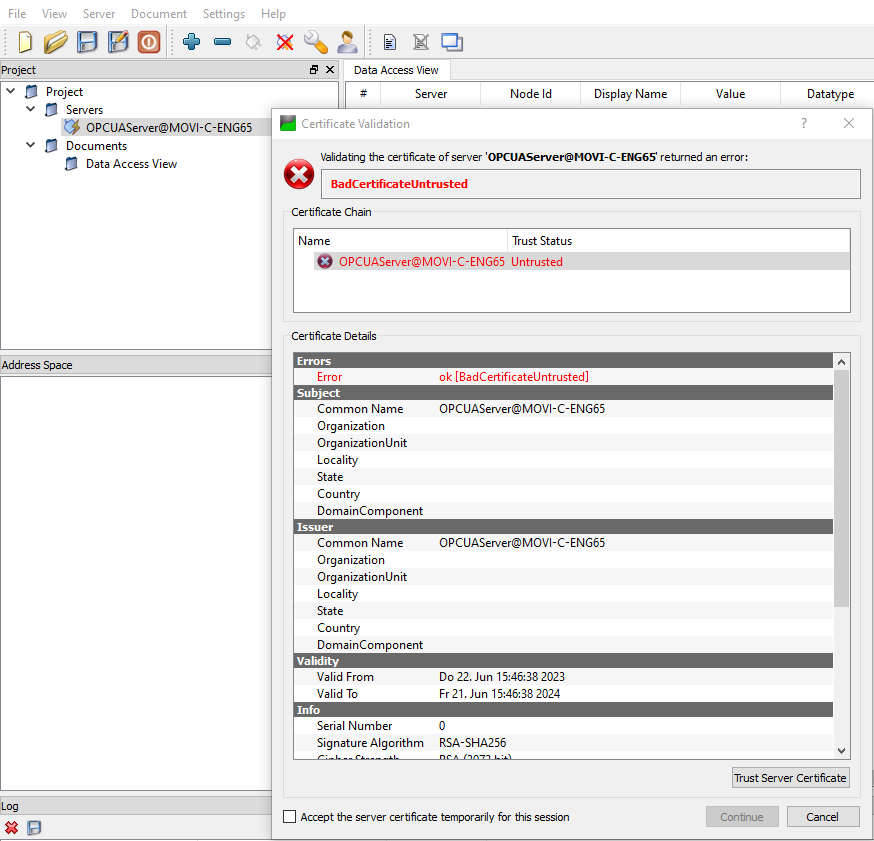
To establish the connection completely, you must trust the certificate of the client in the security screen of the IEC Editor. Drag and drop the certificate from the quarantine folder to the folder of the trusted certificates.
