MOVI-C CONTROLLER® or MOVI-C® visualization as OPC UA client
An OPC UA client can read the variables of the OPC UA server and exchange data in the IEC editor or in the editor of the MOVI-C® visualization. Proceed as follows to set up the data exchange:
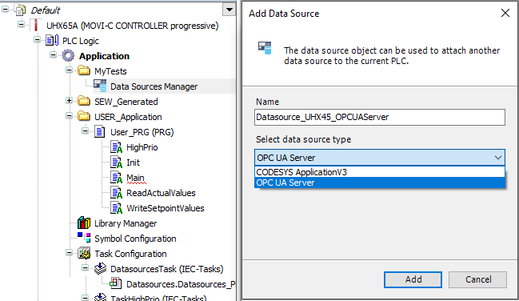
- In the IEC project, add a "Data Sources Manager" object in the device tree.
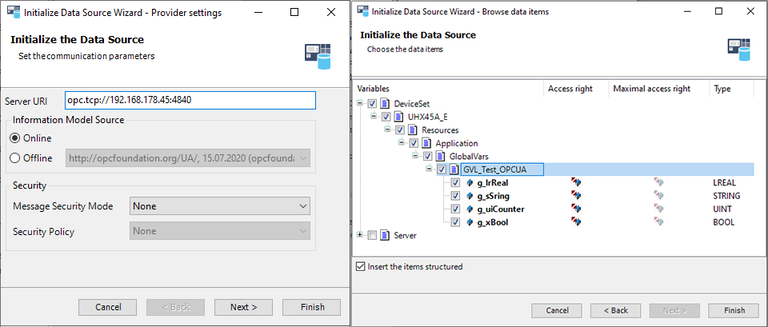
- Add a "Data source" object below the "Data Sources Manager" object that establishes the connection with an OPC UA server. For this purpose, the OPC UA server must be active in the network and can be searched.
- Select the required variables.
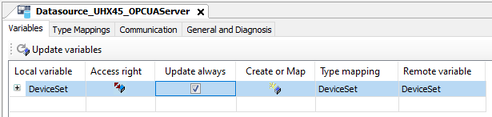
- Activate the [Update always] option for the selected variables.

- The client does not consider certificates and users with passwords.
- Communication takes place without IT security measures.
- These are only possible with software based on CODESYS 3.5.18.40 or higher.
