Changing the task of a visualization
By adding the visualization, the task configuration contains 5 tasks.
UHX25A
The MOVI‑C® CONTROLLER UHX25A can manage a maximum of 4 tasks due to its resources. Therefore, make the following change:
- Use the left mouse button to drag the "SEW_PRG.HMI" program call onto the "VISU_Task" task.
- The program call is moved.
- Select the "TaskHmi" task and delete it.
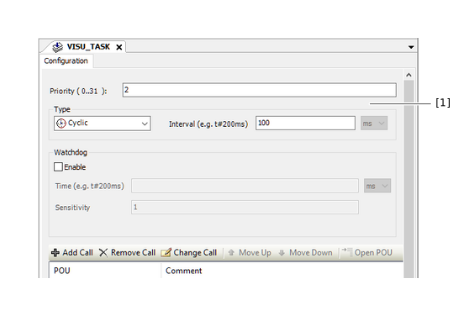
- Double-click the "VISU_TASK" task.
- The configuration of the task is displayed.
- Enter the value "2" in the "Priority" edit box.
- The task configuration meets the requirements.
INFORMATION

If you execute the "Update IEC project" command in MOVISUITE®, the deleted task will be added again. After the update, check whether the task configuration meets the requirements. If necessary, repeat the steps described above.
Cycle time
Enter 10 ms as the minimum cycle time in the edit field [1] for each MOVI‑C® CONTROLLER.