Alarm and event processing
Events
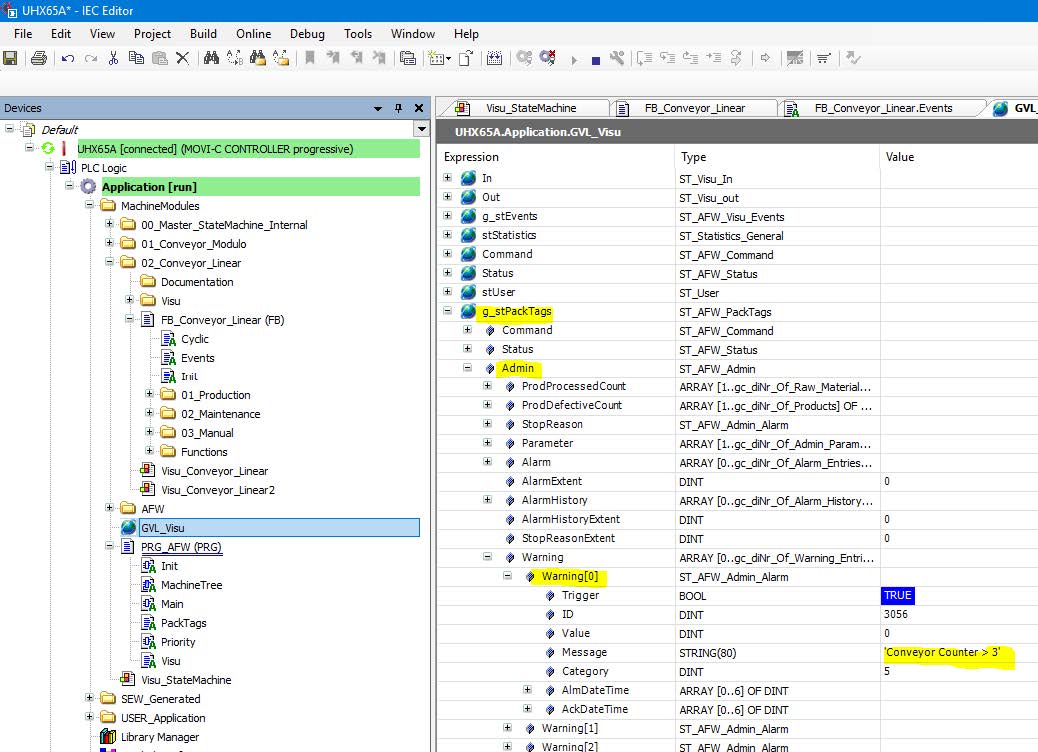
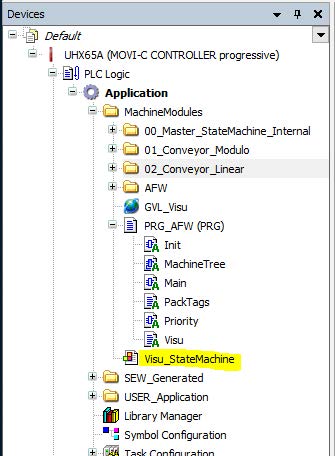
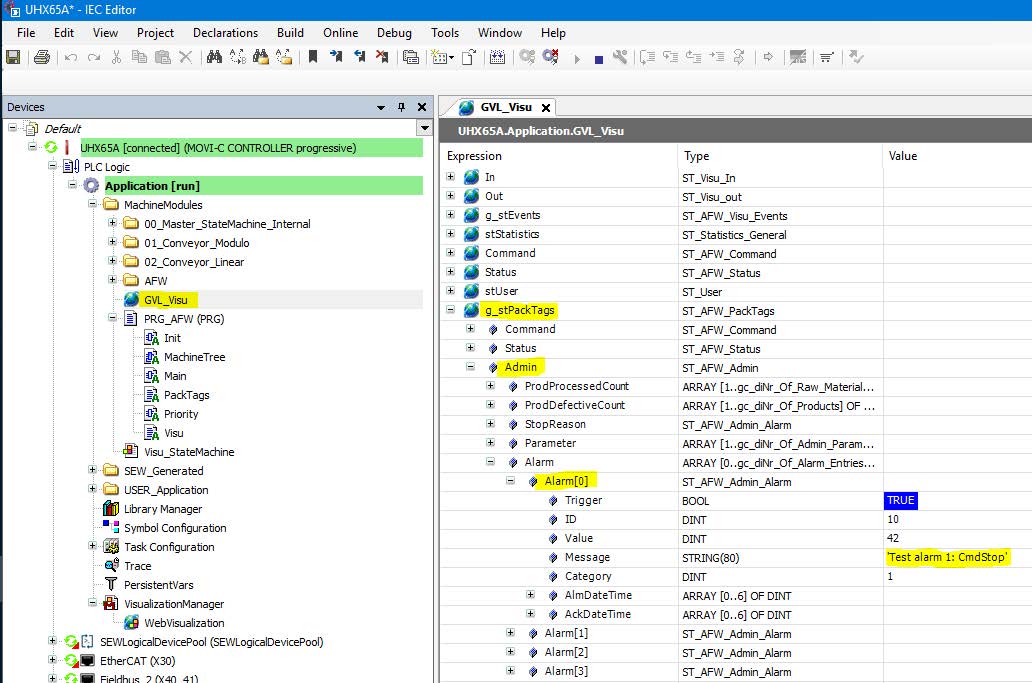
Events are collected in the "g_PackTags" structure in the global variable list "GVL_Visu". They can be displayed using the "Visu_StateMachine" visualization object.

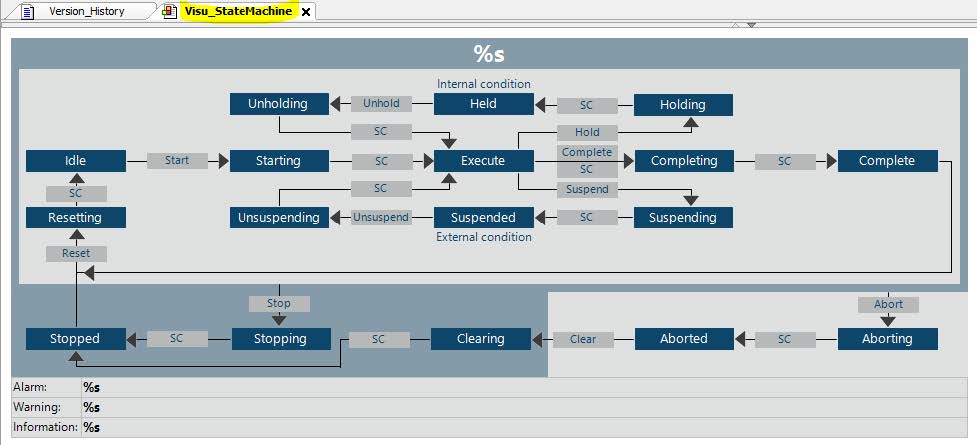
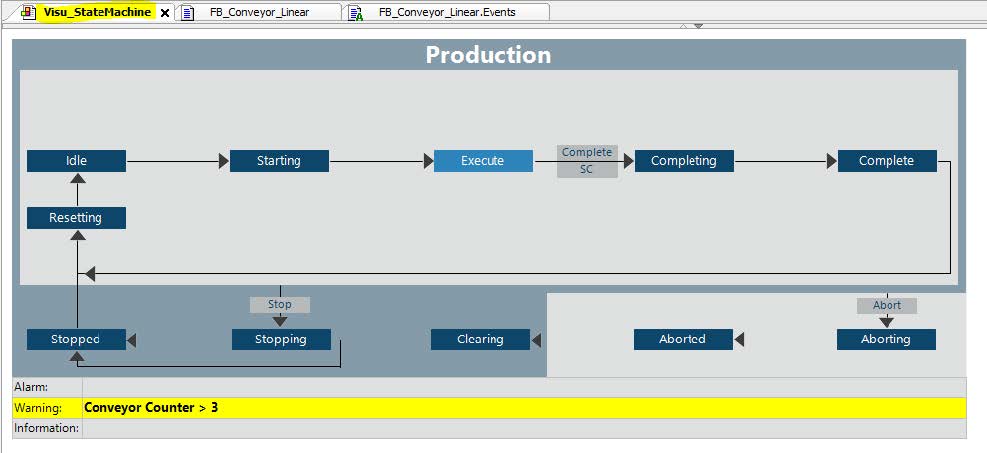
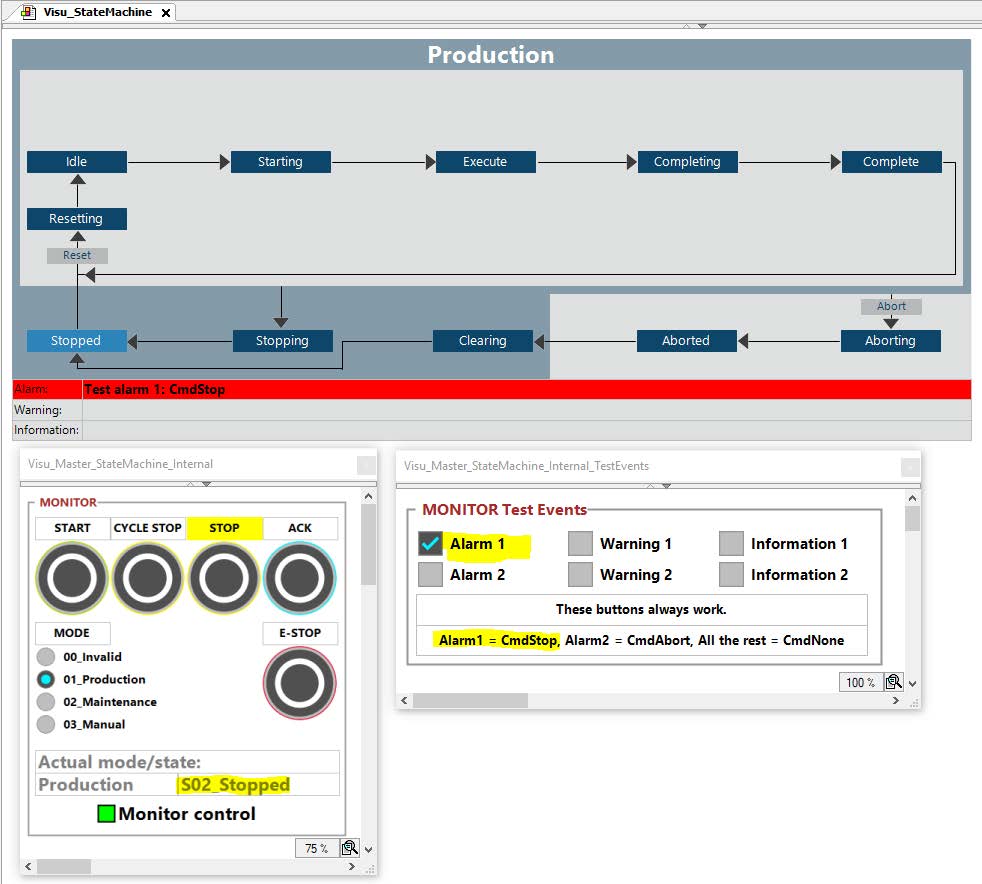
There are 3 fields for events, alarms, warnings and information at the bottom of the mode and state manager display. If there is more than one message for each category, they are displayed in consecutive order.
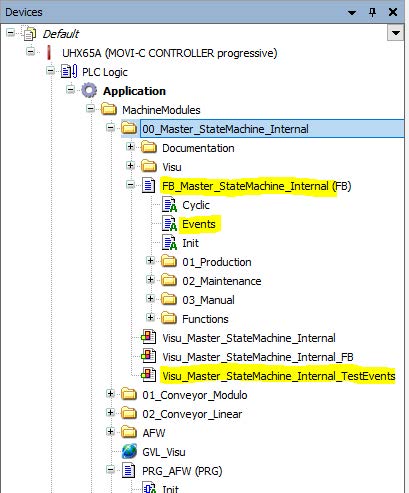
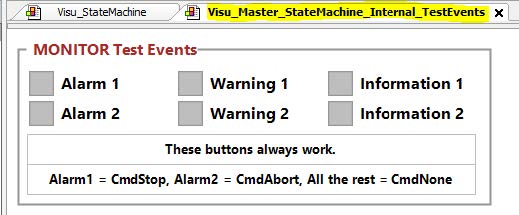
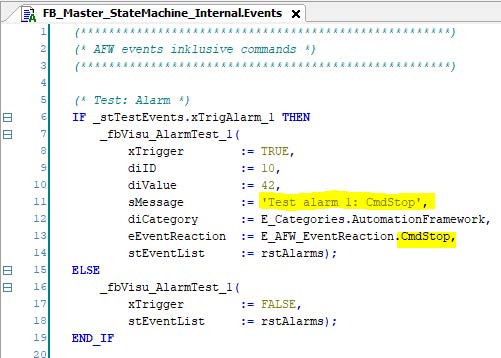
There is also a visualization with 6 test events. These events are programmed in the "events" state in the "FB_Master_StateMachine_Internal" machine function block.
With this visualization, it is very easy to test the response of the machine modules to various events by clicking the corresponding check boxes.
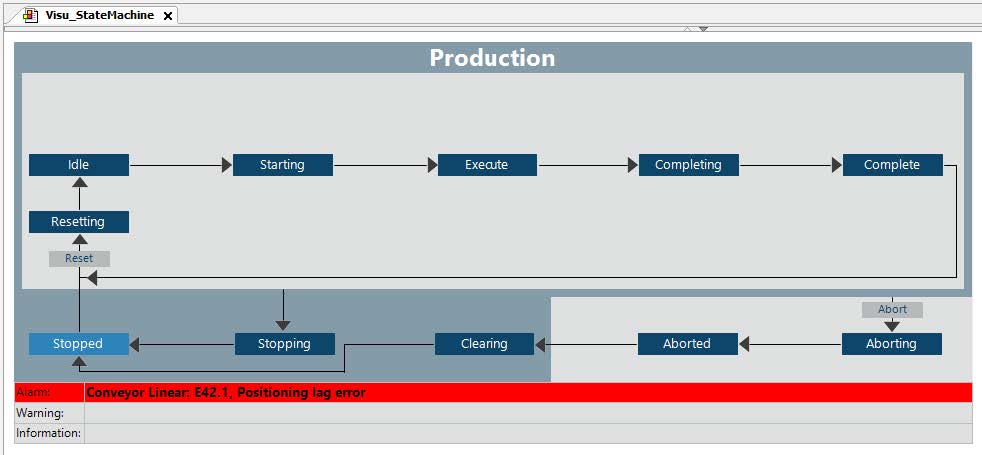
Axis errors are displayed with the corresponding text message in English from the SEW message database contained in the AFW.
In this example, the MOVIDRIVE® inverter displays E42.1.
Example 11
Test the behavior of the machine if an error occurs in the conveyor module while the production mode and the "execute" state are being executed. Simulate an error. What response do you receive?
Solution
Set the machine to the "execute" state.
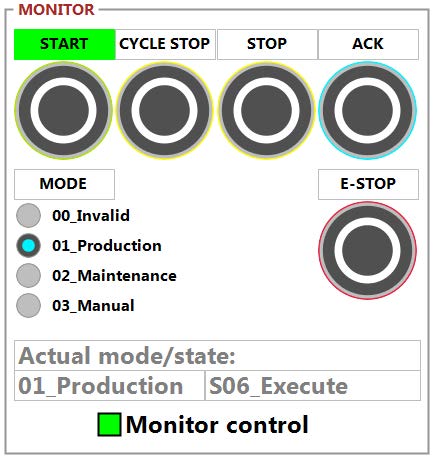
Various events have already been prepared for tests in the master of the mode and state manager in the "events" action.
The step sequence sets all machine modules to "stopped" state.
This alarm corresponds to the value in Alarm[0] in the Admin pack tag structure.
Example 12
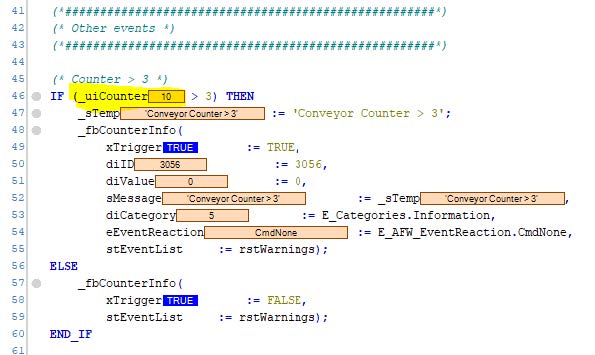
Add an event that sends the information "Conveyor Counter > 3" to the warning list for an "uiCounter" > 3 without changing the state of the machine.
Solution
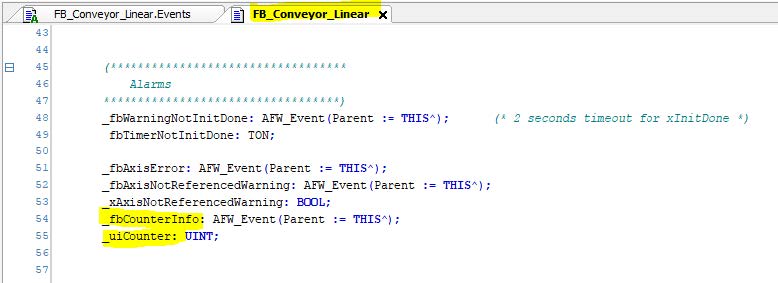
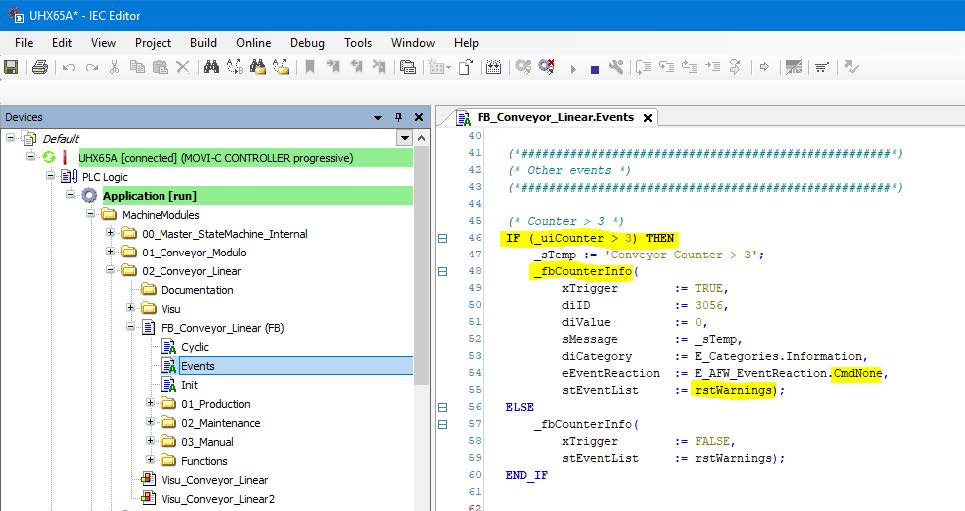
If uiCounter = 10 is set, the event is triggered and added to the list of events.