Adding a virtual axis
- A MOVISUITE® project, which includes a MOVI‑C® CONTROLLER has been created and is open.
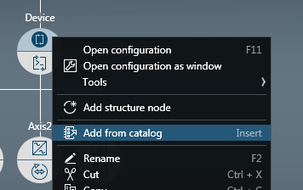
- Open the context menu of the MOVI‑C® CONTROLLER in the MOVISUITE® project.
- Click the [Add from catalog] menu item.
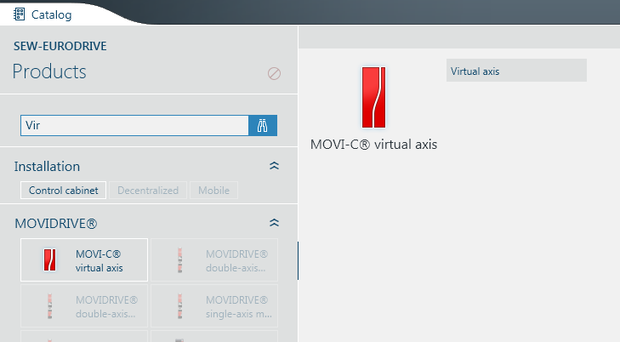
- In the catalog, click on [Virtual axis]. If the virtual axis is not displayed in the catalog, search for it by entering "Vir" into the search field of the catalog.
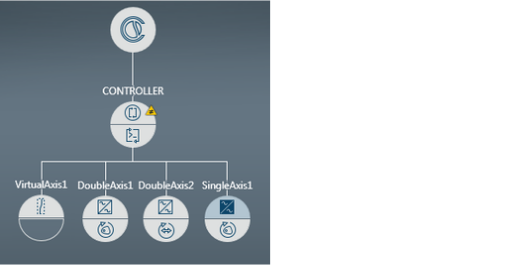
- In the dialog window, click the [Apply] button.
- Click the empty software module section of the virtual axis.
- Click on [MultiMotion].
- In the dialog window, click the [Apply] button.