Using a trace template
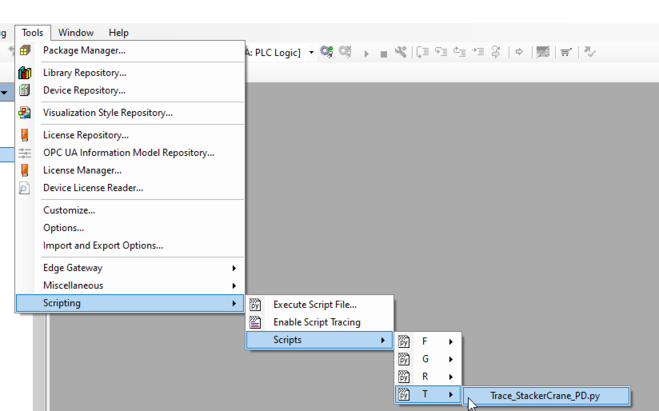
The trace variables can be entered automatically using a template in the IEC editor via the menu command [Tools] > [Scripting] > [Scripts] > [T] > [Trace_XXX.py] or via the context menu of the "Application" object and the menu command [Scripting] > [Scripts] > [T] > [XXX.py] ("XXX" stands for the name of the respective software module). The template contains all variables relevant for analysis and provides further configuration options for trace recording.
When using the trace template, do not enable the “Convert to multi-channel” function, as this will cause the variable order to be lost.
|