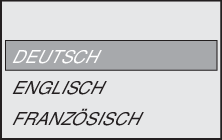
Selecting a language
1. | When the DBG keypad is switched on for the first time or when the delivery state is activated, the following appears on the display for a few seconds: |
| |
Afterwards, the display shows the icon for the language selection. |
| ||
2. | Press the Press the The DBG keypad searches for the connected devices and displays them in the device selection list. |
|


 key until the desired language appears.
  key to confirm your selection.