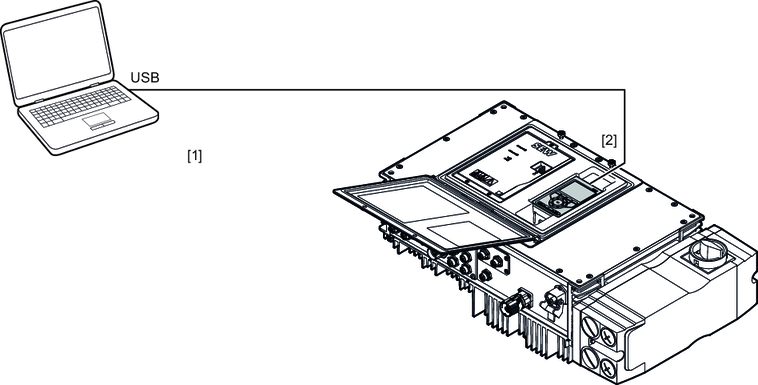
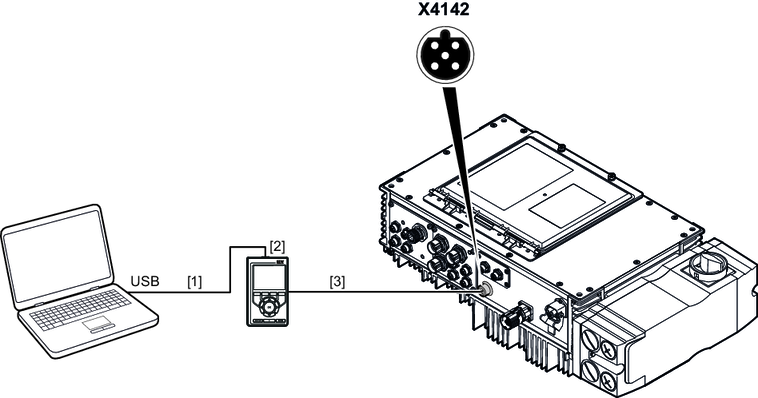
Connection via CBG21A or CBG11A keypad
You can establish a connection between the PC and the device's engineering interface using the CBG22A, CBG21A, CBG11A or CBM22A keypads.
The data is transferred according to the USB 2.0 standard. It is also possible to work with a USB 3.0 interface.
You need the following components for the connection:
Component | Part number |
|---|---|
CBG21A keypad | 28238133 |
CBG11A keypad | 28233646 |
USB connection cable USB A/USB 2.0 Mini B For connecting the CBG.. keypad to the USB interface of the PC
| 25643517 |
CBG.. connection cable D‑sub/M12, B‑coded (USK25A) For connecting the X4142 engineering interface to the 24 V supply voltage
| 28139046 |
INFORMATION

You cannot use the X32 and X4142 engineering interfaces at the same time.
Additional information