Generating an IEC project
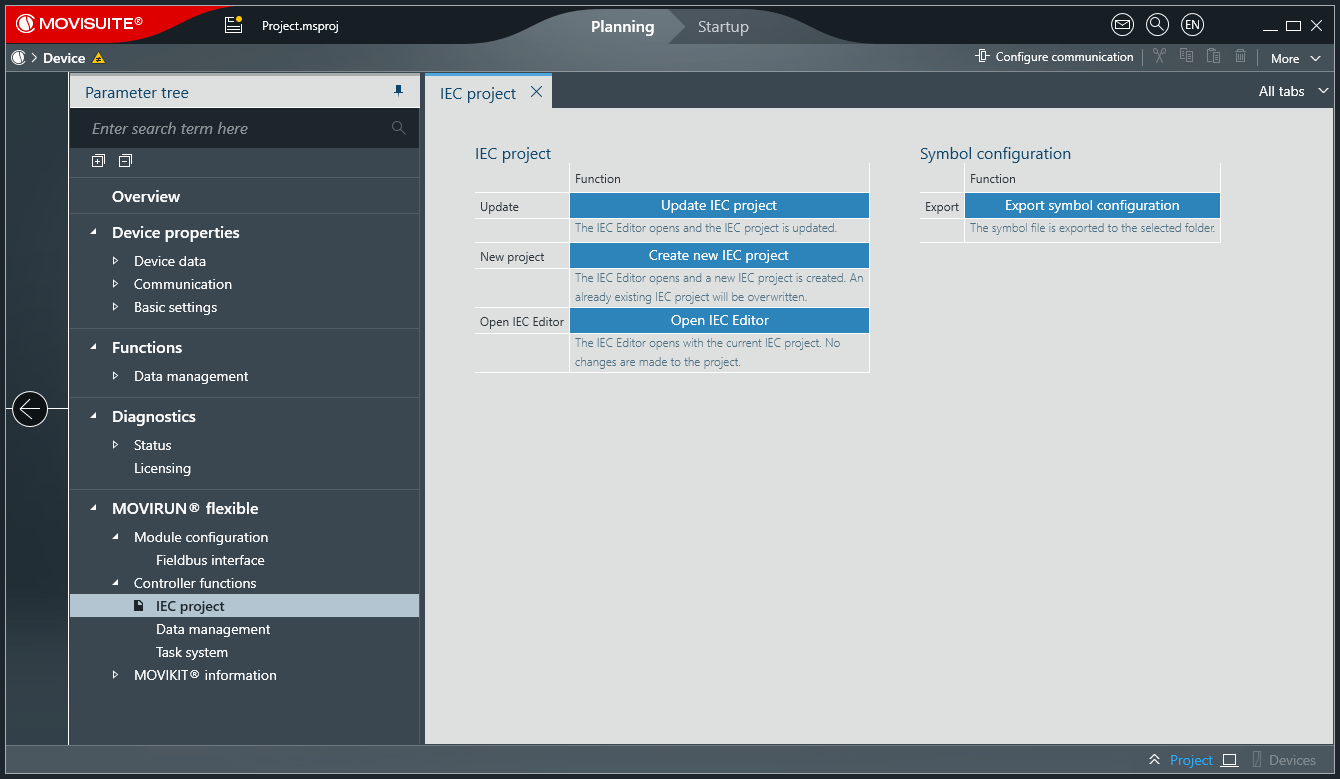
Carry out the following steps to create an IEC project using automatic code generation based on the configuration settings in MOVISUITE®.
- Configuration of the MOVISUITE® project has been completed.
- Open the configuration of MOVIRUN® flexible via the software module area of the MOVI-C® CONTROLLER.
- Click [Create new IEC project] in the "IEC project" configuration menu.
- The IEC Editor opens and a new IEC project is created.

Note the message icon for the MOVI-C® CONTROLLER node. The message icon is displayed if changes are made to the project structure, in the inverter data sets, or to the software module configuration after the IEC project has been generated for the first time. Click the message icon to obtain more information about the change and to update the IEC project.
