Removing EI7. – DRN63 motors
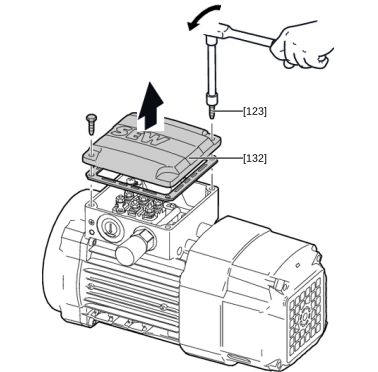
- Unscrew the screws [123] to remove the terminal box cover [132].
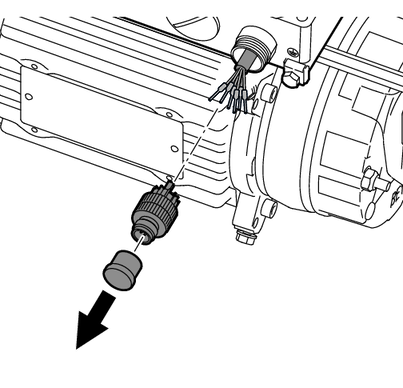
- Unscrew the M12 connector and disconnect the cores.
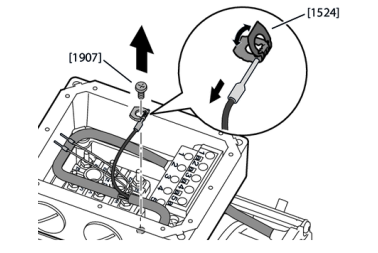
- Loosen the screw [1907] used for fastening the shielding to the terminal box.
- Bend open the terminal washer [1524] and pull out the shielding of the encoder cable.
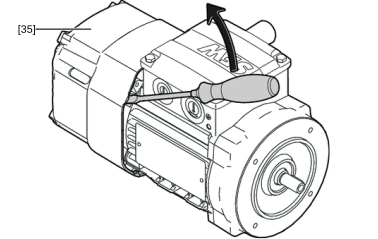
- In order to remove the fan guard [35] lever out the 2 detents opposite of the terminal box. Then pull the detents over the latching cams of the endshield.
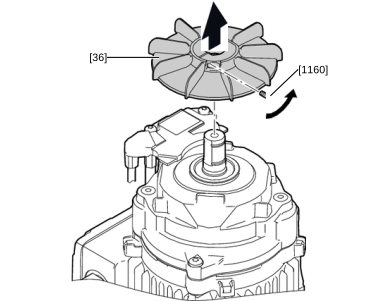
- Loosen the clamping screws [1160] and remove the fan [36]. If necessary, remove the retaining rings prior to this step.
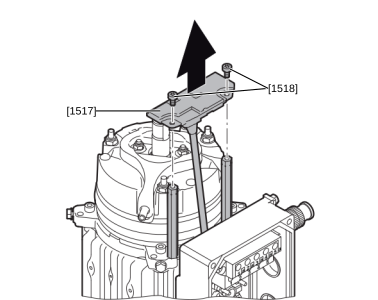
- Loosen the screws [1518] and pull the encoder module [1517] out of the knock-out and the grommet.
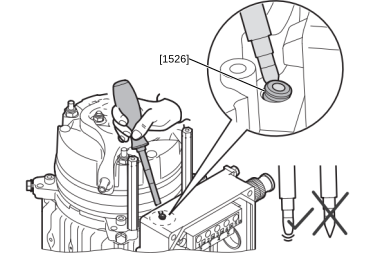
- Remove the grommet [1526] from the knock-out.