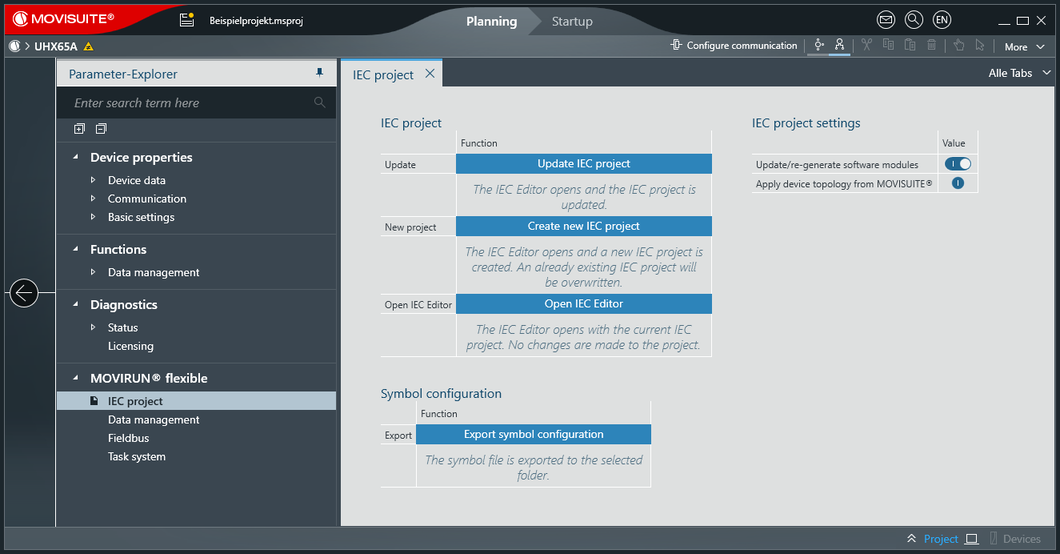
Generating an IEC Project
Carry out the following steps to create an IEC project using automatic code generation based on the configuration settings in MOVISUITE®.
- Configuration of the MOVISUITE® project has been completed.
- Open the configuration of MOVIRUN® flexible via the software module area of the MOVI-C® CONTROLLER.
- Click [Create new IEC project] in the "IEC project" configuration menu.
- The IEC Editor opens and a new IEC project is created.