Access rights
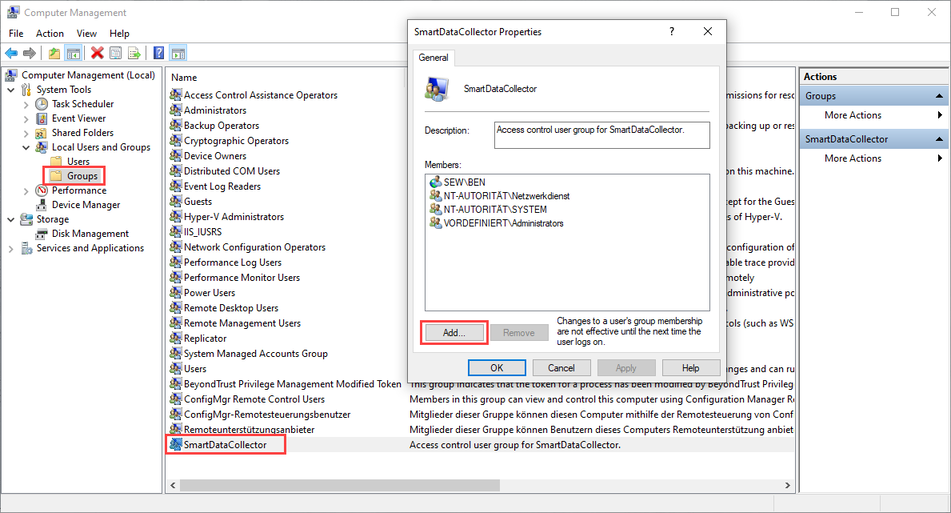
When installing the software, a Windows user group with the name "SmartDataCollector" is created. All members of this group are authorized to start and configure the installed software. To protect all software data, the access restriction implemented by the user group affects the entire directory of the software (default path: C:\ProgramData\SEW\SmartDataCollector).
The user who installs the software, administrators, and the user account of the network service and the system are automatically entered in the user group. All other users must be added manually to the user group. A local administrator or a domain administrator can add members to the user group via Windows computer management (search for "Computer management" in the start menu to open it), thereby enabling you to use the software (see screenshot).
INFORMATION

The user account of the network service and the system must not be deleted from the "SmartDataCollector" user group and from the access permissions of the software directory (default path: C:\ProgramData\SEW\SmartDataCollector), otherwise the software (e.g. auto start) no longer works correctly.