Configuration
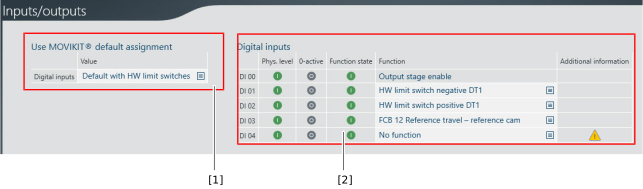
The inputs/outputs can be configured as follows in the "Inputs/outputs" configuration menu of the software module:

No. | Description |
|---|---|
[1] | Selection of a default assignment for the digital inputs. The digital inputs are the image of the input terminals of the connected inverter.
|
[2] | List of digital inputs with drop-down lists for assigning a function and displaying the levels. Digital input DI 00 is permanently assigned the "Output stage enable" function. |
