Operating modes
INFORMATION

A requirement for all operating modes is that the axes are enabled via the enable bits Enable/emergency stop and Enable/stop at user-defined limits in the control word. For more information, refer to the chapters MOVIKIT® StackerCrane control word and Process data assignment.
The operating mode is defined via process data word for all lower-level axes of the software module. The operating mode is changed over in idle state.
The software module provides the following operating modes:
Operating mode | Dec | Description |
|---|---|---|
Default | 0 | Enabling or disabling the axes |
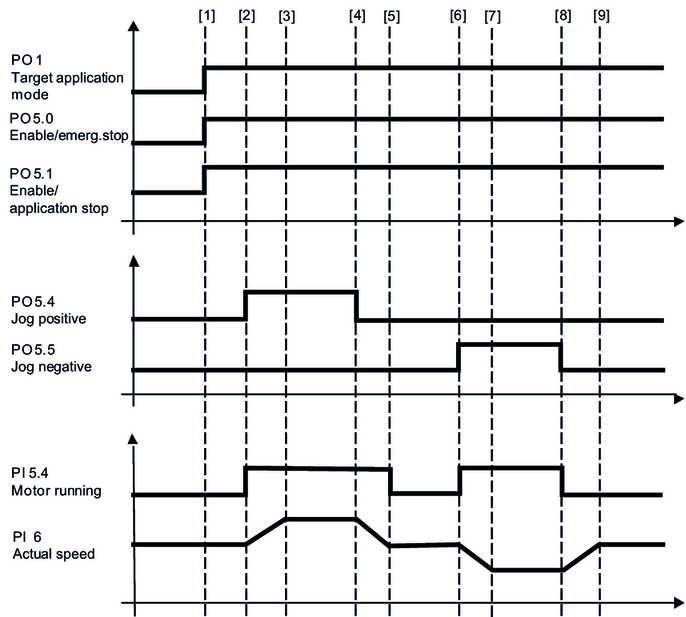
Jog mode | 100 | The axes are moved manually using the bits jog positive, jog negative, and the corresponding dynamics parameters. |
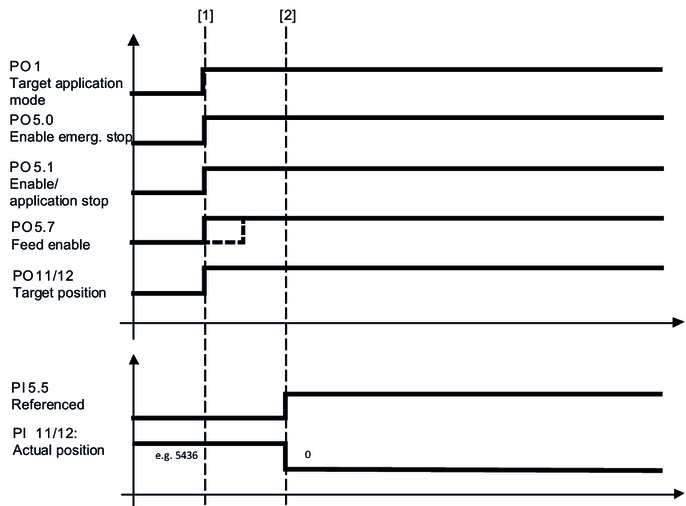
Referencing mode | 300 | A configured reference offset is written to the actual position |
301 | A reference offset specified via bus is written to the actual position | |
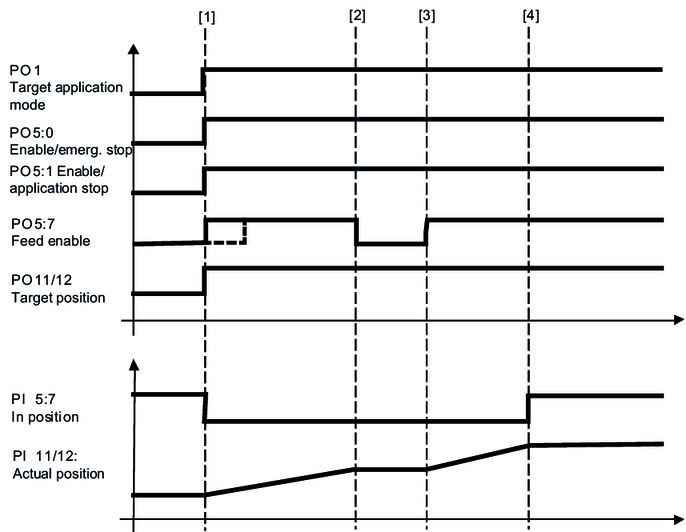
Positioning mode | 400 | Positioning of the axes is not energy optimized |
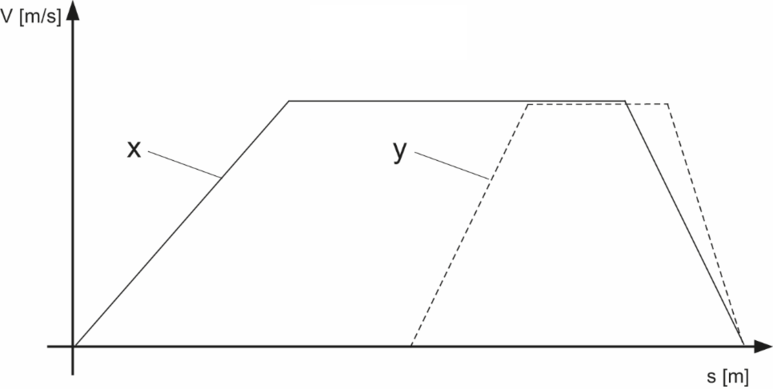
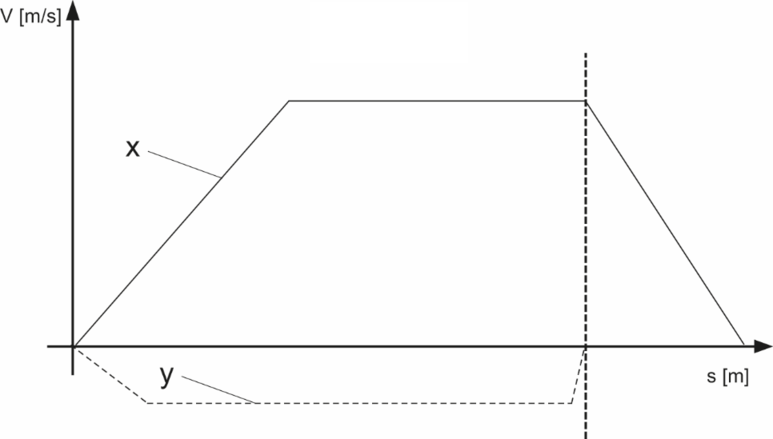
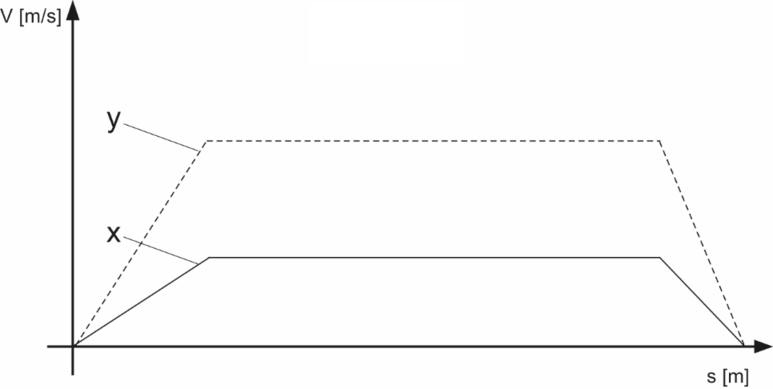
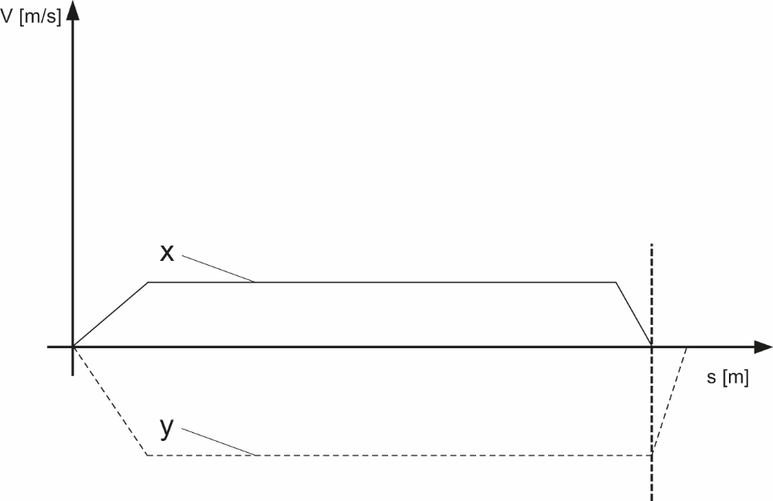
Energy-optimized XY positioning | 1200 | Energy-optimized positioning of the axes |
Mechanics-optimized positioning | 1210 | Diagonal positioning by reducing the speed of an axis. |
External brake test | 1300 | Preparing the external brake test The brake test is configured via safety card and is controlled using the safe bus or safe inputs. |
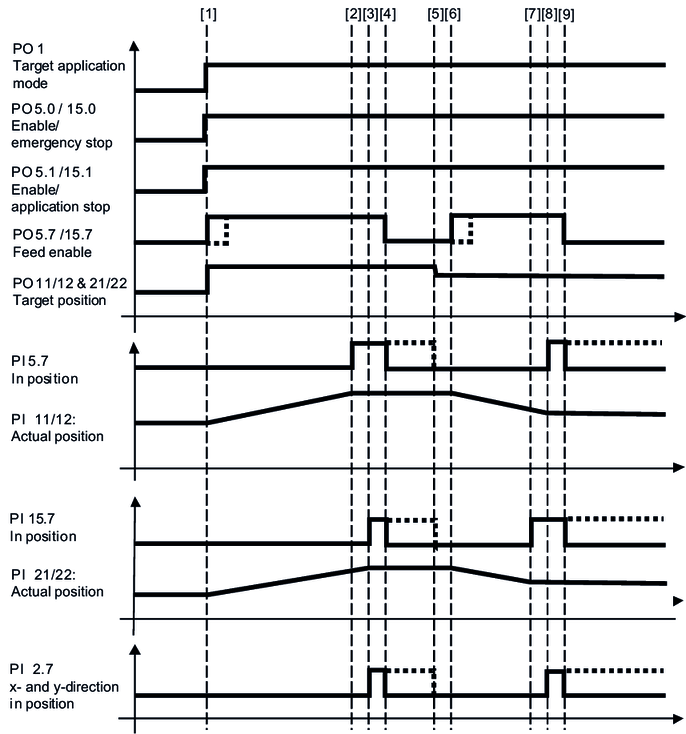
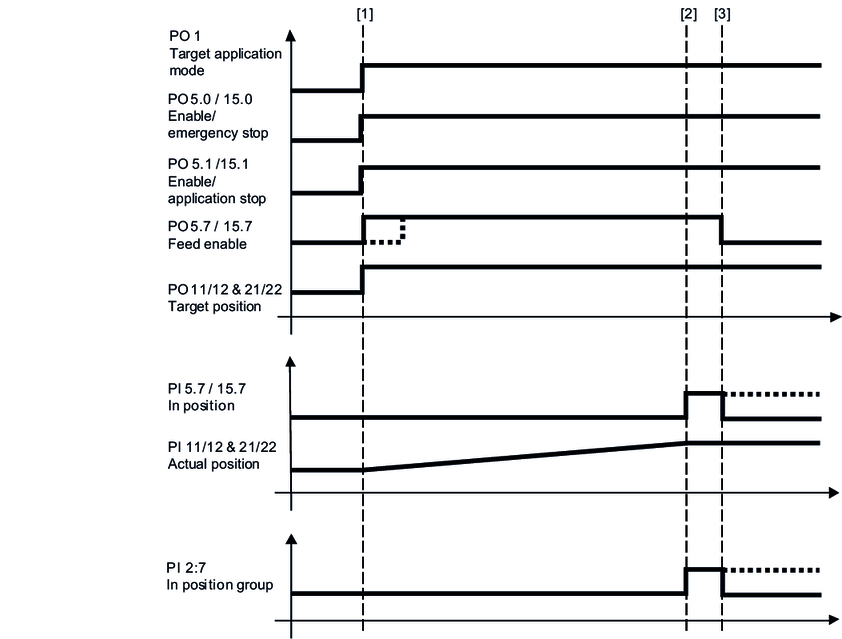
The following chapters provide a cycle diagram for each operating mode to help you better understand the operating principle. They also provide a process sequence with a description of the signals to be set and of the signal states.