Configuring the fieldbus card
The fieldbus interface for the Modbus TCP connection has to be set in the MOVISUITE® project and the device configuration has to be loaded to the MOVI‑C® CONTROLLER via the IEC Editor.
Proceed as follows:
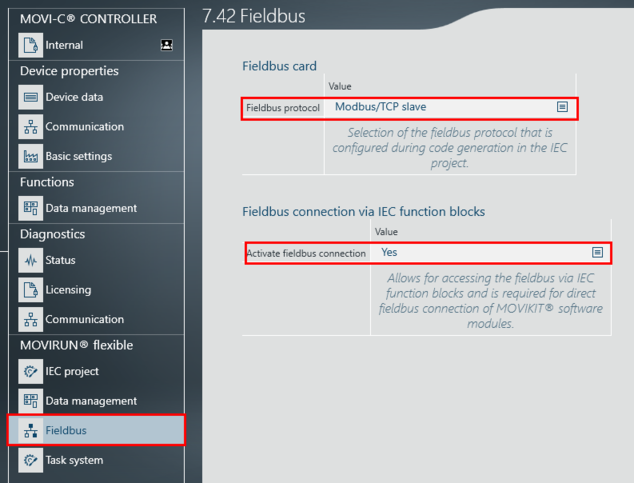
- In the configuration of the MOVI-C® CONTROLLER, open the [MOVIRUN® flexible] > [Fieldbus] parameter group.
- To integrate the MOVI-C® CONTROLLER as a Modbus TCP slave in the Modbus TCP network, set the "Modbus TCP adapter" fieldbus protocol.
- To link the Modbus TCP process data interface directly with the MOVIKIT® software module, activate the "Fieldbus interface via IEC modules" parameter.
INFORMATION

The process data interface is configured in the engineering tool of the higher-level Modbus TCP master. Make sure that the process data module you insert in the hardware configuration at the process data interface (slot) matches the selected MOVIKIT® software module. For example, for MOVIKIT® Velocity, you must insert a process data module of 5 process data words.