Adding a server
To add a server, proceed as follows:
- A communication link is established with the OPC UA server. If necessary, check the link with the "UA Expert" tool.
- Open the "Servers" tab.
- Click [+].
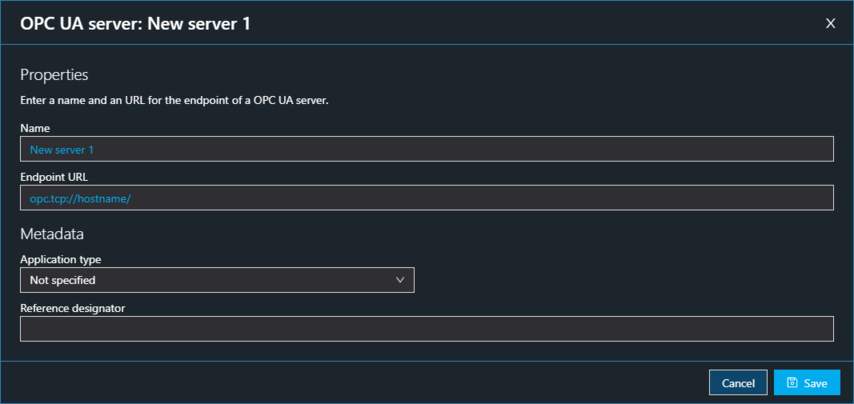
- The dialog window "OPC UA server: New server" appears.
- In the "Properties" section, use the corresponding fields to enter a name and the endpoint URL of the server.
- In the "Metadata" section, use the corresponding fields to select the application type of the server or enter a reference identifier.
- Click [Save]

- The configured OPC UA server is included in the list of OPC UA servers.
