Defining the visualization style
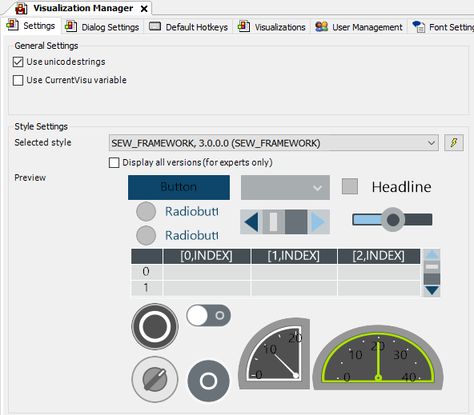
- Double-click the "Visualization Manager" object in the device tree of the IEC Editor.
- The "Visualization Manager" tab is displayed.
- Select the entry "SEW_FRAMEWORK, 3.0.0.0 (SEW_FRAMEWORK)" from the "Selected style" drop-down list in the "Style settings" section.
- Make sure that only the "Use unicode strings" check box is ticked in the "General settings" section.
- Close the "Visualization Manager" tab.