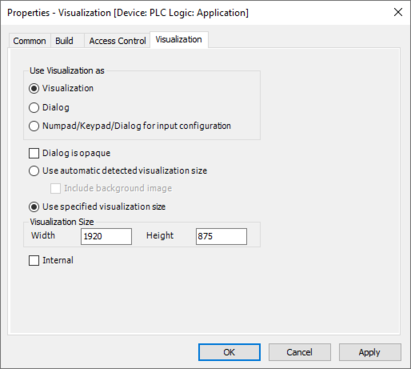
Defining visualization size
- Open the context menu of the "Visualization" object in the device tree of the IEC Editor.
- Click the [Properties...] entry.
- The "Properties - Visualization" dialog box is displayed.
- Open the "Visualization" tab in the "Properties - Visualization" dialog box.
- Define the following values in the "Visualization size" section:
- Width: 1920
- Height: 875
- Click [OK] to confirm your entry.