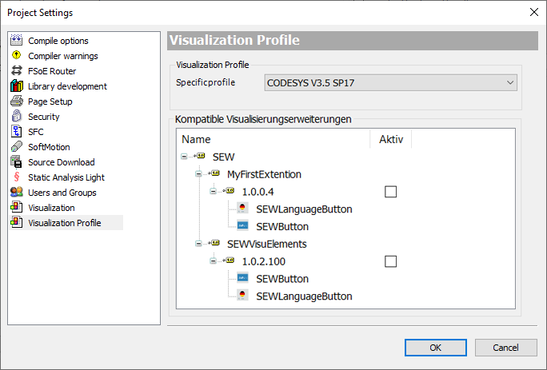
Setting the visualization profile
- Click [Project] > [Project settings] in the menu bar.
- The "Project settings" dialog box appears.
- Click the "Visualization profile" submenu.
- In the "Visualization profile" section, select the entry "CODESYS V3.5 SP17" in the "Specific profile" drop-down list.
- Confirm your selection with [OK].