Creating an HMI project
INFORMATION

To ensure the compatibility of the IEC project and visualization project, the two projects must be created with a CODESYS with the same version number. To start, use the CODESYS link created on the desktop of the engineering PC when MOVISUITE® was installed. The version linked here matches the IEC Editor version integrated in MOVISUITE®.
- The IEC package has been installed. See chapter Installing the IEC package.
- Start the IEC Editor via the CODESYS link created on the desktop of the engineering PC.
- The IEC Editor is started with the standard range of CODESYS functions (without SEW profile).
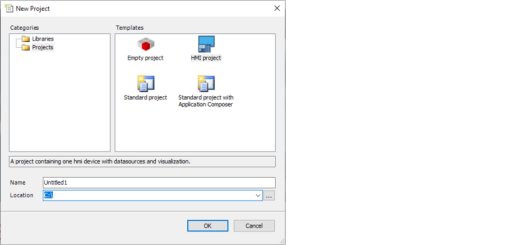
- Create a new empty HMI project from the initial screen or using [File] > [New project] (see screenshot).
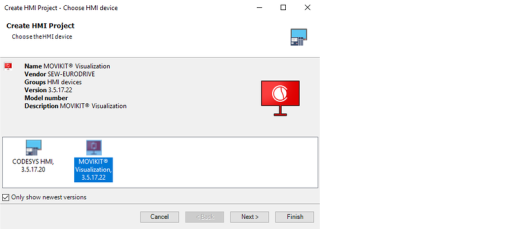
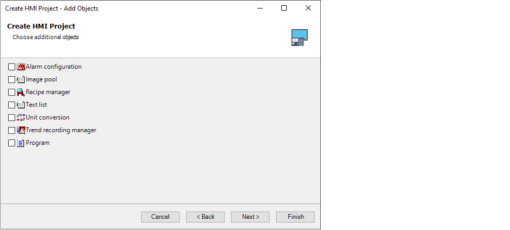
- Select "VISUALIZATION" as the device in the creation wizard and define the desired additional objects for the visualization project.

- A new HMI project has been created.
