Changing OPC UA configuration at runtime
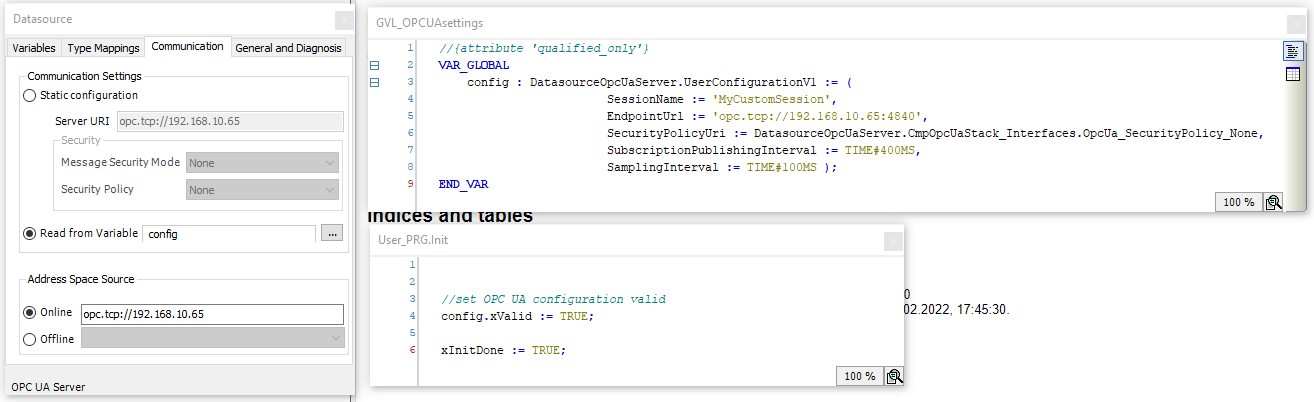
Settings can be changed using the DatasourceOpcUaServer.UserConfigurationV1 variable type. By default, SubscriptionPublishingInterval is set to 1 second. You can change the time to retrieve the data of the OPC UA server more quickly. Set the data source to read the communication settings of variables.
Example:
A config variable of the type DatasourceOpcUaServer.UserConfigurationV1 is declared. Select “config” under “Read from Variable” in the data source. Then set xValid of the variable to TRUE and the publishing interval to 400 ms.

Mapping of the IP address to a symbolic host name
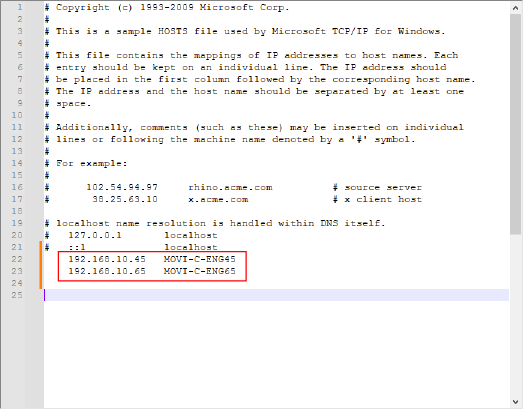
For example, under Microsoft Windows, there are OPC UA clients for which it is not possible to enter a fixed IP address in the connection establishment but a symbolic alias name must be used. The alias name is always possible.
If you need this function under Windows, change the hosts file in the C:\Windows\System32\drivers\etc. folder, for example to
Diagnostics of the OPC UA connection
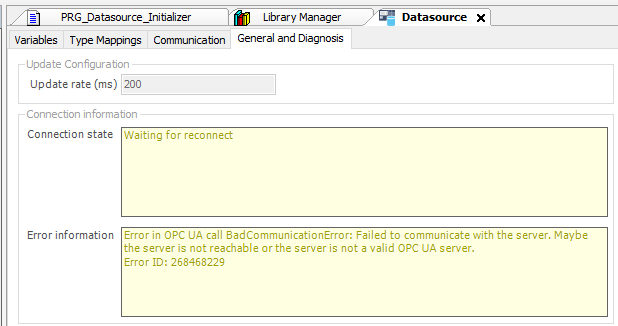
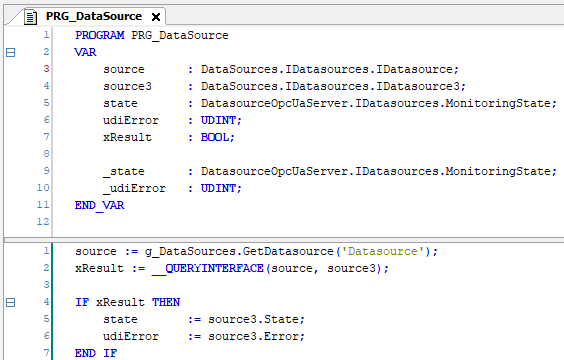
The status of the OPC UA connection can be read out and evaluated for diagnostic purposes. The connection status and error state are displayed in the IEC Editor and evaluated in the application program.
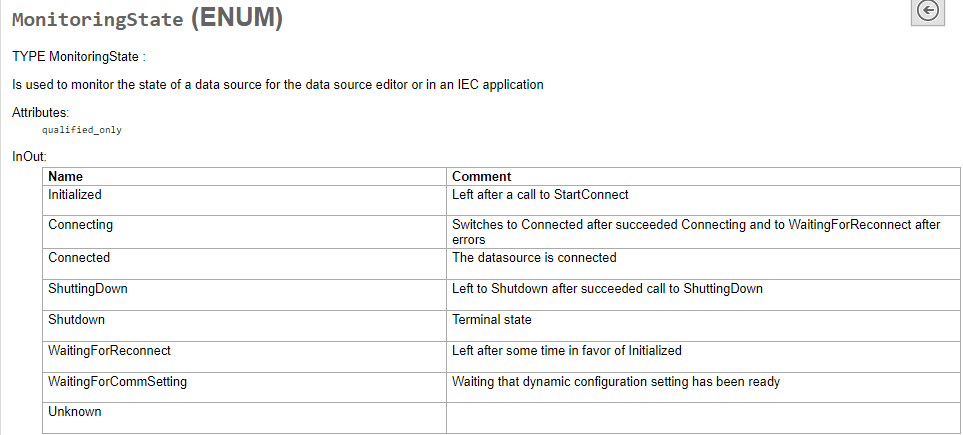
Read the status of the runtime in the program with, for example with
Where