Importing source files
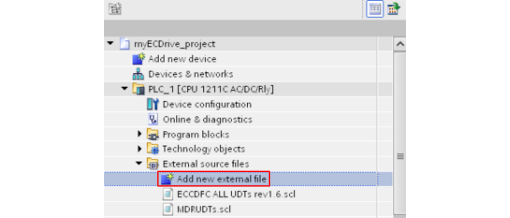
The source files are imported as external sources into the TIA project. This import process is explained below using the ECCDFC ALL UDTs rev1.6.scl and MDRUDTs.scl files as an example.
- To import source files, double-click on "Add new external file".
- Then select the desired source file that you would like to import.
- The imported source files are listed in the "External source files" folder.