Project and MOVI‑C® CONTROLLER
The IEC project generated by MOVISUITE® initially always contains the name "Default" and represents the root node in the IEC Editor.
The MOVI‑C® CONTROLLER is directly subordinate to the IEC project node. To display the properties of the MOVI‑C® CONTROLLER, double click the node of the MOVI‑C® CONTROLLER in the device tree.
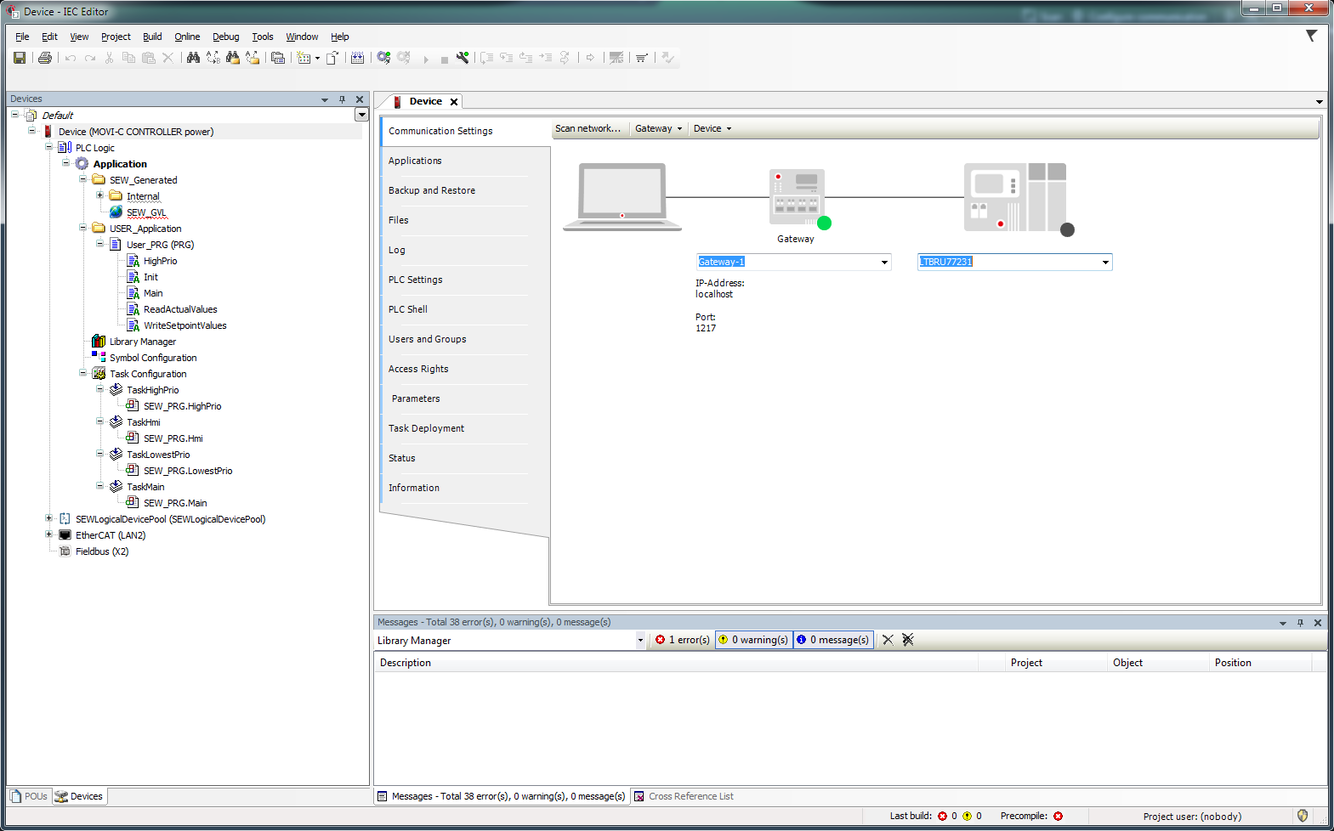

In the properties of the MOVI‑C® CONTROLLER you can, for example, check the setting of the IP address if you cannot establish a connection with the MOVI‑C® CONTROLLER (e.g. when logging in). In some cases you have to click the field with the IP address and press the ENTER key to establish a connection with the device. Once the connection is established, a green dot appears at the MOVI‑C® CONTROLLER in the properties window.
